
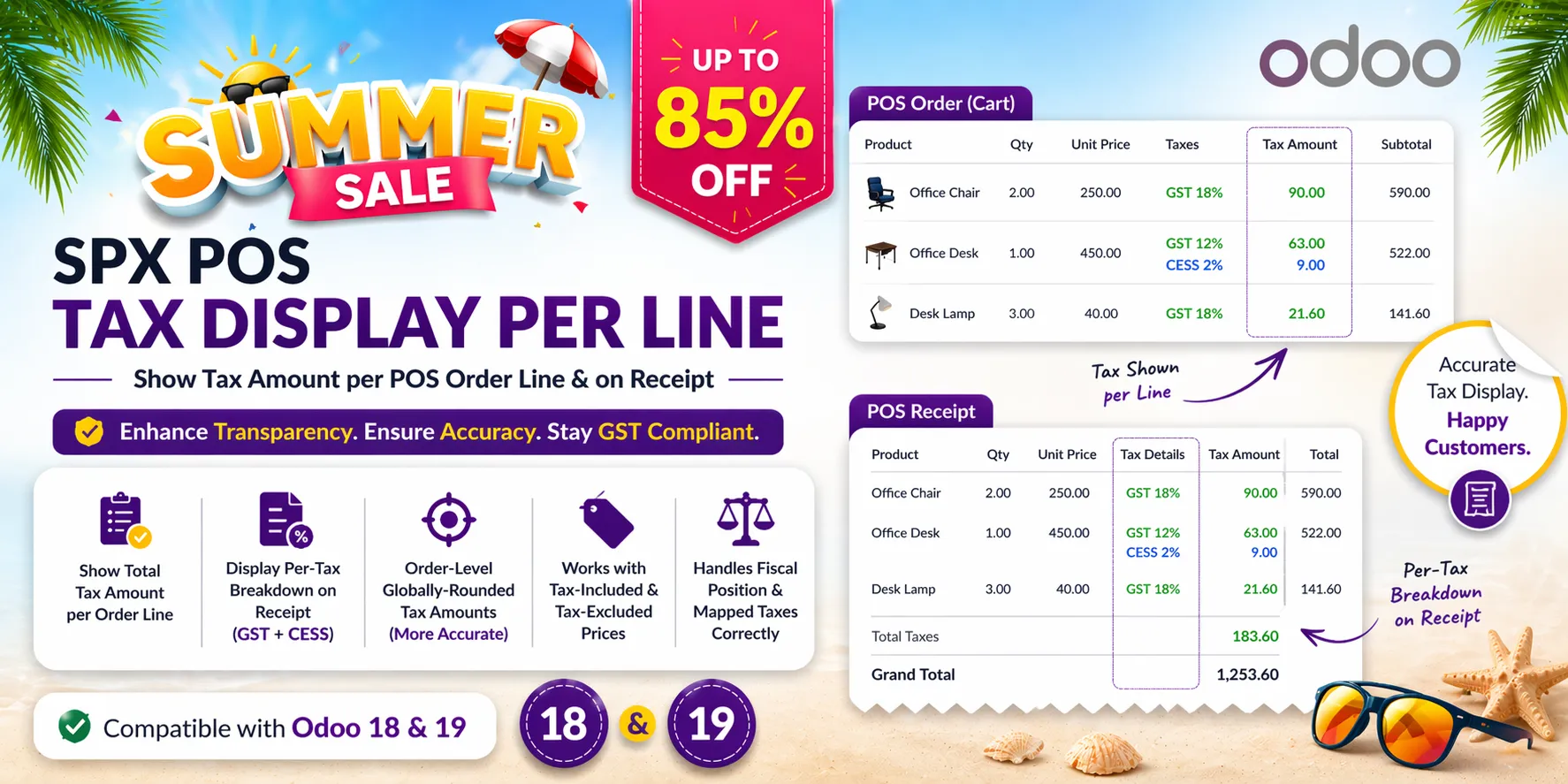
Odoo's Point of Sale shows the taxes of the whole order. This app also shows the tax of each order line: in the cart while the cashier sells, and on the printed receipt, one row per tax under every product. For a company in India it can print a GST summary table on the receipt.
Key Features
- Tax of every line in the cart — Under each product the cart shows the amount before tax and the tax of that line.
- One row per tax on the receipt — The receipt lists every tax of a line with its amount under the product, for example CGST 9% and SGST 9%, or VAT 15% and an eco fee.
- Same figures as the order totals — The amounts come from the taxes Odoo computes for the whole order, so the lines add up to the tax total of the order.
- Tax-included and tax-excluded prices, fiscal positions — Prices with tax included or excluded, several taxes on one product, taxes replaced by a fiscal position, discounts and returned lines (negative amounts) are all shown correctly.
- GST summary for India — For a company in India the receipt can show one row per tax group with the rate, the tax, the amount before tax and the total, instead of Odoo's tax rows. It can be switched off.
Benefits
- Cashiers can answer "how much tax is on this item?" at once
- Customers see the tax of each item on their receipt
- No change to prices, totals or accounting: display only
Ideal For
- Shops that must or want to show the tax per item on the receipt
- Shops in India that print a GST summary on receipts
- Shops selling products with several taxes or with fiscal positions
Technical Highlights
- One setting per point of sale: Point of Sale > Configuration > Settings > Accounting
- Uses the order's own tax computation (global rounding, fiscal position)
- The receipt rows are printed by the till and by receipts made on the server (backend print, e-mail)
- Depends on point_of_sale only; Community and Enterprise
Supported Odoo Versions
- Odoo 19
- Odoo 20