ERPForge: deploy Odoo with a git push
The Odoo-native hosting platform built by Scriptonix, an Odoo implementation partner. Connect a GitHub repository, push, and your Odoo instance builds, validates and deploys itself — with safe builds, live logs, staging and backups. No DevOps team needed.
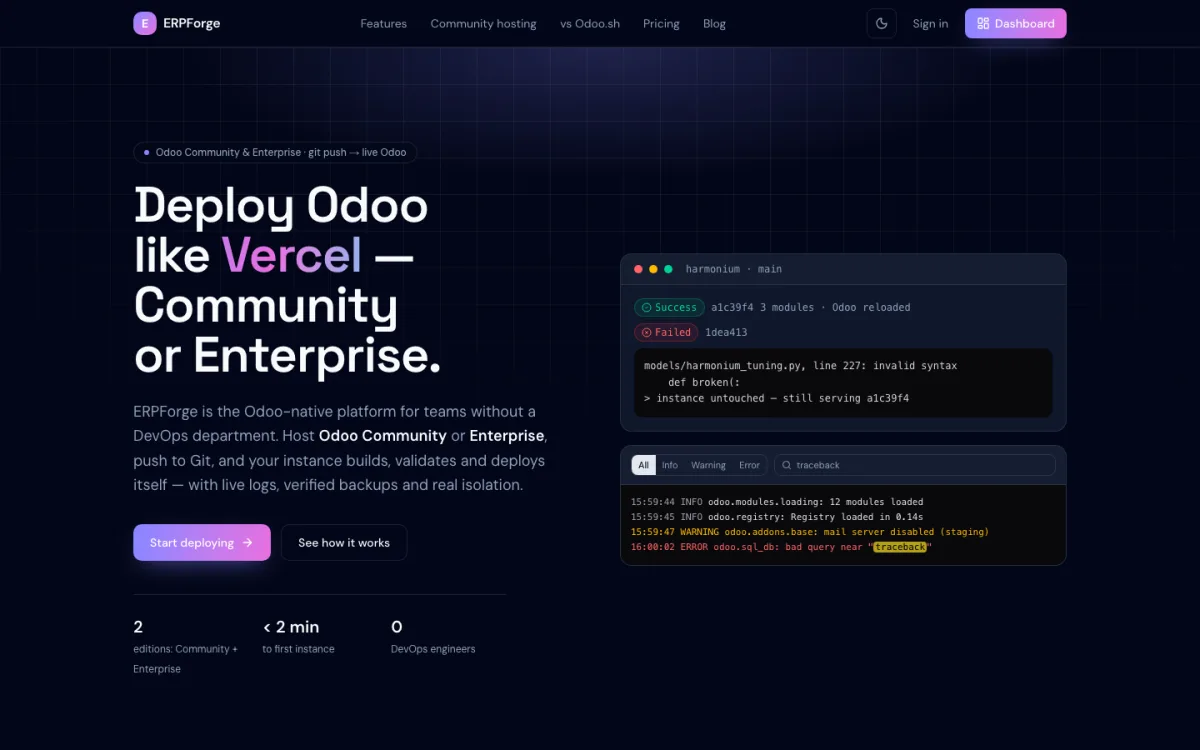
A failed build never reaches your users — the instance keeps serving the last good commit.
Odoo deserves a platform that knows what Odoo is.
As an Odoo partner we ship modules and upgrades for clients every week. These are the three walls we kept hitting — and what ERPForge does about them.
Odoo.sh is Enterprise-only
Odoo.sh, Odoo's own platform, runs Odoo Enterprise only, so Community teams usually end up hand-rolling their deploy workflow. ERPForge gives Community the git-push workflow.
Hand-rolled Docker and deploy scripts
Without a platform, every project ends up with its own Dockerfiles, deploy scripts and backup habits, and the knowledge sits with one engineer. ERPForge gives every instance the same pipeline.
Generic hosting doesn't speak Odoo
Addons paths, module compilation, the Odoo shell, neutralizing a staging copy — a generic PaaS knows none of it. ERPForge only does Odoo, so these are handled for you.
The Odoo lifecycle, in one place.
Provisioning, deploys, logs, databases and backups — built around how Odoo actually behaves.
Git push → live Odoo
Connect GitHub once. Every push to a mapped branch clones your modules, validates them and reloads Odoo.
Builds that fail safely
A syntax or indentation error fails the build with the exact file and line; the instance keeps the last good code.
Production, staging, dev
Typed instances from one project, each with its own Odoo container, Postgres, filestore and network.
Live Odoo logs
A real-time tail of the Odoo server log with level filters, full-text search and highlighting.
Browser workspace
Code editor, real terminal, Odoo shell and a database explorer with a read-only SQL runner — inside the instance.
Backups & restore
On-demand database and filestore backups with restore, plus an automatic final backup before a production instance is deleted.
Metrics & scaling
Live CPU, memory and network charts, instance health status and one-click scaling of workers.
Secure by default
Read-only deploy keys, secrets kept out of the database, server-side access control and automatic HTTPS.
Three steps. Then just push.
No Dockerfiles, no addons-path debugging, no restart scripts.
Connect GitHub
Add a GitHub connection to your organization. ERPForge verifies it and lists your repositories.
Create a project and instance
Pick the Odoo version and the instance type — production, staging or development. A running Odoo appears in minutes.
Push. That's the deploy.
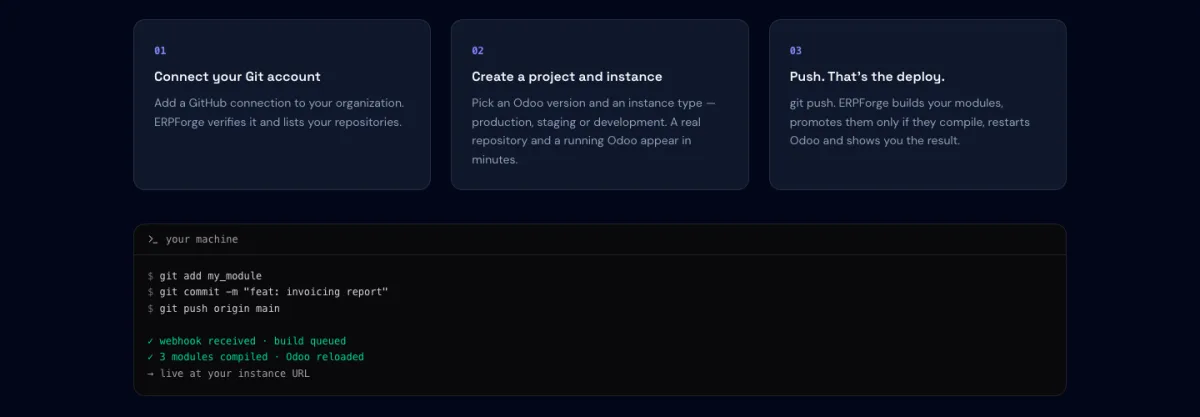
ERPForge builds your modules, promotes them only if they compile, restarts Odoo and shows you the result.
Every current Odoo release.
Pick the Odoo version per instance.
Odoo 20
Stable
Odoo 19
Stable · default
Odoo 18
Stable
Odoo 17
Maintenance
Questions teams ask before moving.
What is ERPForge?
ERPForge is an Odoo-native Platform-as-a-Service built by Scriptonix. You connect a GitHub repository, pick an Odoo version, and every push to a mapped branch builds, validates and deploys your Odoo instance — with live logs, on-demand backups and an isolated set of containers per instance.
How can I start using ERPForge?
ERPForge is opening to customers in stages. Request early access and we will set up your account and walk you through your first deploy.
Does ERPForge host Odoo Community edition?
Yes. Odoo Community is fully supported. Enterprise projects require your own Odoo Enterprise subscription — talk to us about setting one up.
Which Odoo versions are supported?
Odoo 20, 19, 18 and 17. Odoo 19 is the default for new instances; Odoo 17 is in maintenance.
What happens if I push code that does not compile?
The build fails before anything is promoted. The build log shows the exact file and line, and the running instance keeps serving the last code that worked.
Does my Odoo traffic go through the ERPForge dashboard?
No. Requests are routed by the edge proxy straight to your Odoo container; they do not pass through the ERPForge dashboard or API. If the dashboard is unavailable, your Odoo keeps running.
How are staging instances kept safe?
A staging instance gets its own copy of your production data, neutralized with Odoo's built-in routine: outgoing mail, scheduled jobs and payment providers are switched off, so tests don't email customers or charge cards.
How much does ERPForge cost?
The Cloud plan is published at $15 per project per month with one worker and 5 GB included, plus $8 per extra worker and $0.50 per extra GB; yearly billing saves 15%. Partners running many customer instances get custom pricing. See the ERPForge pricing page for the current plans.
Make your next Odoo deploy a git push.
ERPForge is opening to customers in stages. Tell us about your Odoo — one instance or a fleet of client instances — and we'll get you set up.
Odoo is a trademark of Odoo S.A. ERPForge is not affiliated with or endorsed by Odoo S.A.