
Force Transfer Date
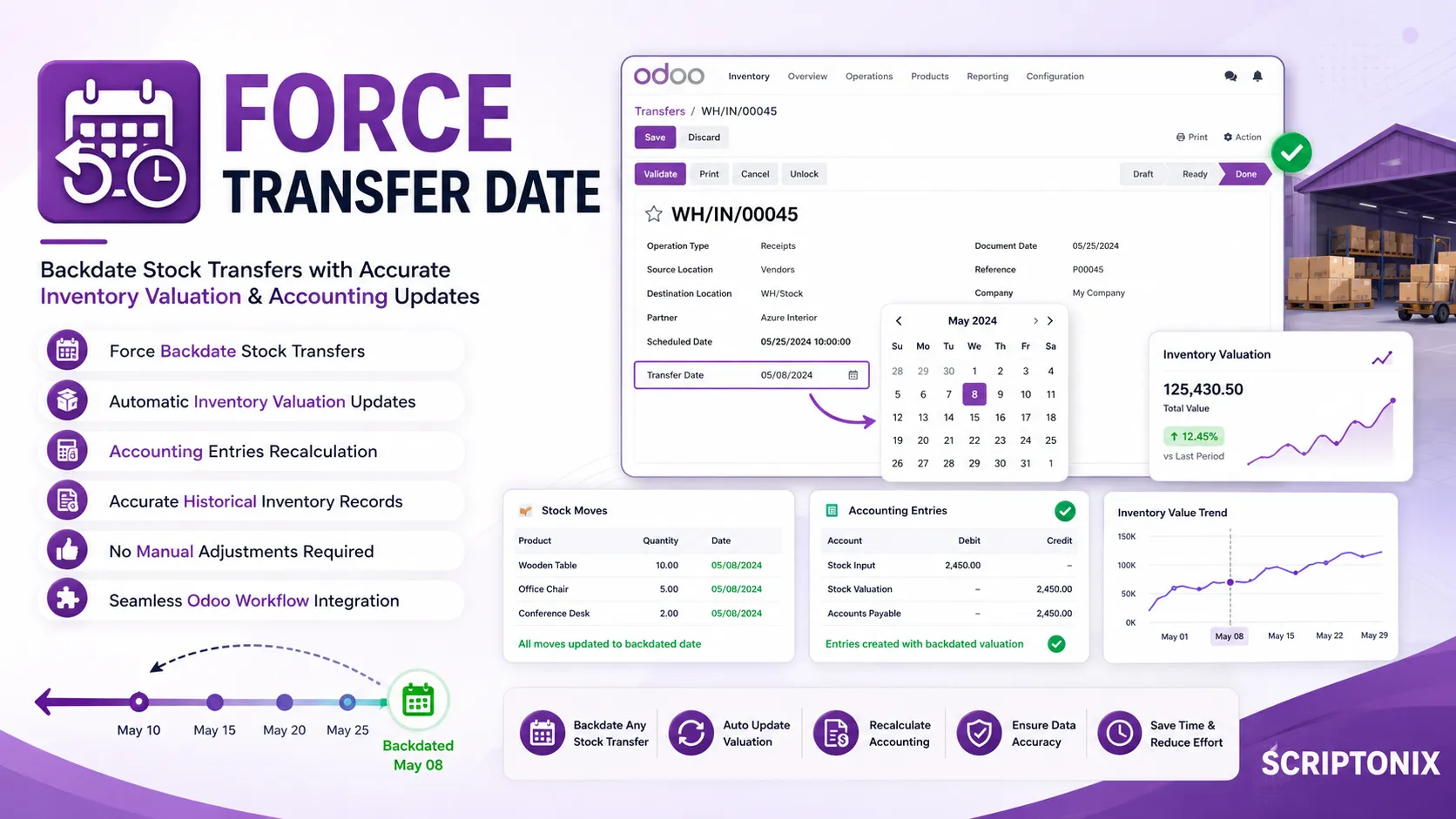
This module allows users to force a backdate on Stock Transfers (Pickings).
When a backdated date is entered and the transfer is validated, the module
automatically recalculates and updates the following:
- Inventory Valuation (stock_move.date)
- Inventory Value
- Accounting Entries
This ensures that inventory valuation remains accurate even when transfers are
processed late or backdated.
====================================================
⚡ Key Features
✅ Force Backdating
Users can enter any date in the past for stock transfers
✅ Automatic Inventory Valuation Update
When transfer is validated, stock moves are updated with the
forced date
✅ Accounting Entries Recalculation
Creates accurate accounting entries based on the backdated valuation
✅ No Manual Adjustments Needed
Everything happens automatically behind the scenes
✅ Simple User Experience
Just enter the date and validate like usual
====================================================
🎯 Real-Life Use Cases
✔ Process stock received yesterday
✔ Correct historical inventory data entry errors
✔ Handle late documentation processing
✔ Maintain accurate inventory valuation records
✔ Support offline receiving workflows
====================================================
📌 Benefits
💰 Accurate Financial Reporting
All inventory transactions reflect their actual dates
⚡ Save Time
No need for manual date adjustments or manual accounting entries
🛠 Easy to Use
Works automatically with existing Odoo transfer flow
✅ Reliable Data Integrity
Prevents valuation discrepancies
====================================================
⚙ Technical Highlights
- Date inheritance from picking to stock moves
- Recalculates inventory valuation
- Updates related accounting entries
- Works with Odoo 18 & 19 stock transfer workflow
====================================================
💡 Ideal For
- Retail businesses with daily inventory processing
- Manufacturing companies with batch production
- Warehouses with manual receiving processes
- Any business needing accurate inventory valuation
====================================================
🌍 Supported Odoo Versions
- Odoo 18
- Odoo 19
====================================================
🔍 SEO Keywords
odoo backdate transfer,
odoo force date stock move,
odoo inventory valuation adjustment,
odoo stock transfer backdating,
odoo stock accounting,
odoo forced transfer date,
odoo date inheritance stock move,
odoo stock valuation Odoo 19,
odoo inventory correction,
odoo stock picking backdate