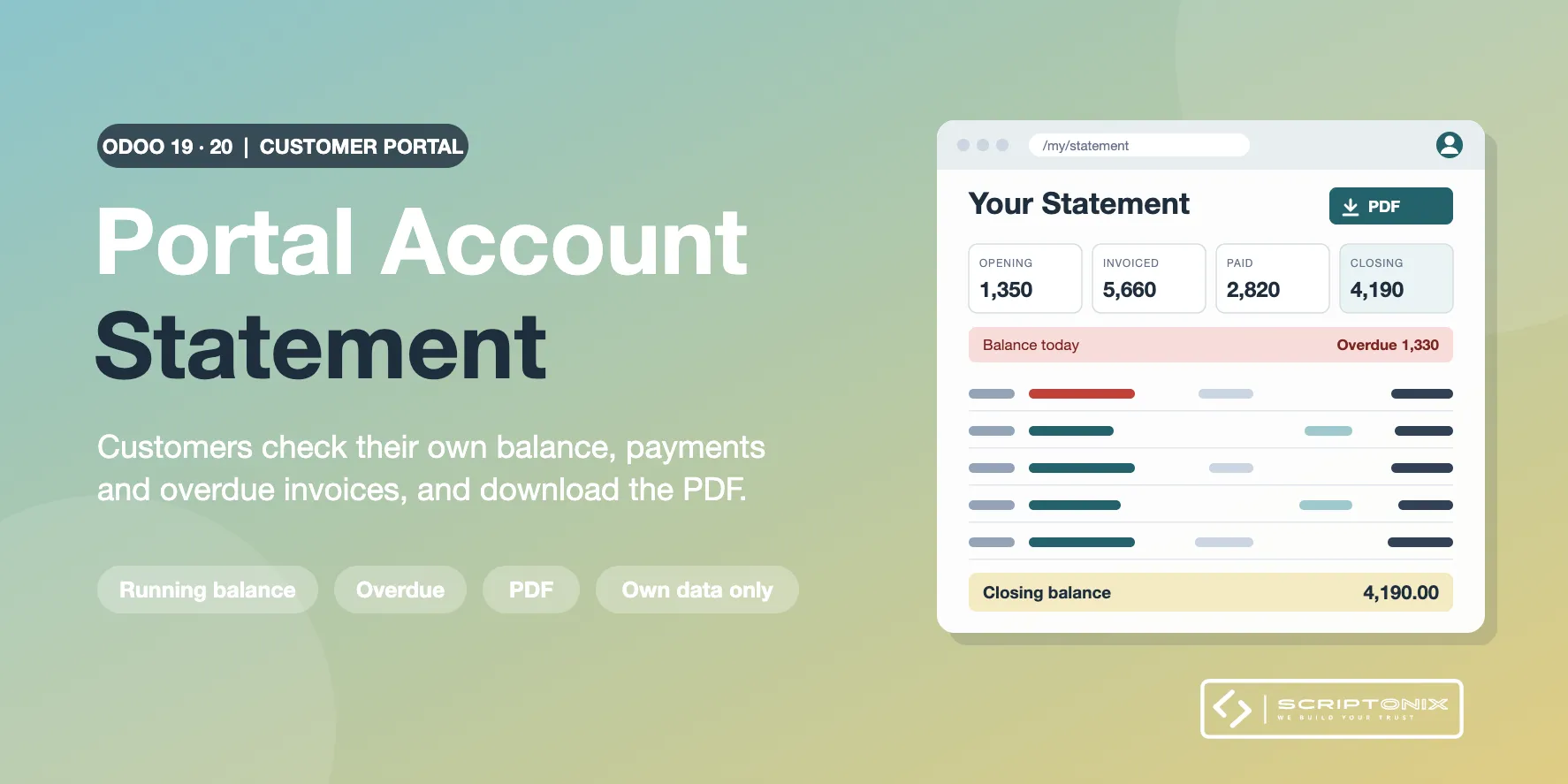
The Odoo portal shows a customer the list of invoices, but not the account: no payments, no balance carried forward, no closing balance. This module adds the page customers ask for. A logged-in portal user opens "Your Statement", picks a period and sees the opening balance, every invoice, credit note and payment with a running balance, the closing balance and what is overdue today, and downloads it as a PDF. Each user only ever sees the account of the company the login belongs to.
Key Features
- Statement page in the portal — Opening balance, one line per invoice, credit note and payment, running balance after every line, closing balance. Ready periods and free dates.
- Overdue at a glance — Balance of today, overdue amount and the list of overdue documents with the days late and the amount still open.
- PDF download — The same statement as a PDF with your company header, your note and every currency.
- Customers and vendors — Customers see what they were invoiced and paid. Vendor contacts see what they billed and what was paid to them.
- One statement per currency — Documents in another currency get their own statement in that currency.
- Strict access — The account is taken from the login, never from the address of the page. The download is a protected form that other sites cannot submit. Covered by automated tests.
- Company settings — Switch it on or off per company, choose who gets it, the first period, the months of history, the overdue summary, the links to invoices, the PDF and a note.
- Hide, preview and log — Hide the statement for one contact, preview what a contact sees, and find every PDF download in a log.
Benefits
- Fewer "can you send me a statement" e-mails and calls
- Customers reconcile their books without waiting for your accounts team
- Overdue amounts are in front of the customer, with a link to the invoice to pay
- Works right after installation; nothing to configure
Ideal For
- Companies whose customers pay on account and ask for statements
- Wholesalers, distributors and service firms with a customer portal
- Accounts teams that want vendors to check their own account
Technical Highlights
- Reads the posted journal items of receivable and payable accounts of the commercial partner
- Depends on the Invoicing app and the portal only; no website or sales app needed
- Uses the native portal layout, home cards and invoice pages on Odoo 19 and Odoo 20
- Multi-company with per-company settings; multi-currency; fully translatable
- Portal and access tests included
Supported Odoo Versions
- Odoo 19
- Odoo 20